Bernina Embroidery Software 9 Designer Plus makes creating beautiful embroidery easier than ever, with simple installation and built-in WiFi connectivity. Enjoy both manual and auto-digitising, explore over 100 lettering and monogramming fonts, and even design your own with the Keyboard Design Collection.
Why choose Bernina Embroidery Software 9 DesignerPlus?
It’s the ultimate tool for unlocking your embroidery creativity. With easy installation and convenient WiFi functionality, you can get started straight away. Enjoy powerful manual and auto-digitising features, access over 100 professional lettering and monogramming fonts, and even create your own unique styles with the Keyboard Design Collection. Perfect for anyone ready to take their embroidery to the next level.
Built in WiFi
Send your designs to your machine with a single click, thanks to the new WiFi Connector. This effortless wireless transfer makes the whole process quick and convenient. With built-in WiFi functionality, you can transmit your embroidery designs directly to a compatible Bernina embroidery machine—or to almost any embroidery machine with a USB port using the Bernina WiFi Device. When you’re ready to stitch, simply start the embroidery with one easy click.
Easy Installation
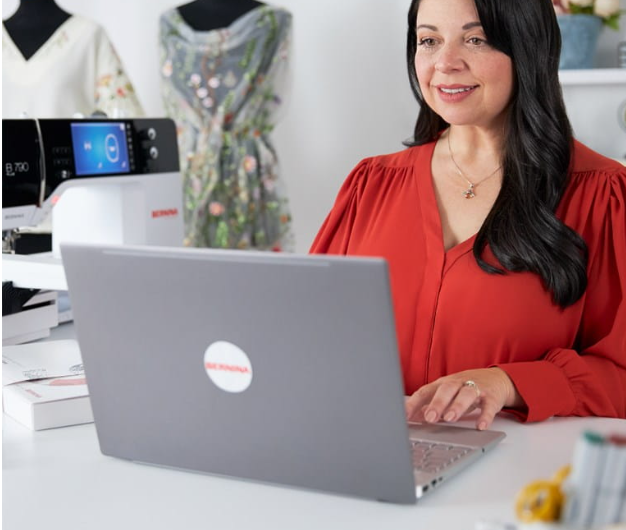
Enjoy easy, flexible installation with Bernina Embroidery Software 9. The improved setup process gets you up and running in no time, and you can even use the software on multiple computers—simply sign in and out to work wherever it suits you.
Your Creative Hub at a Glance
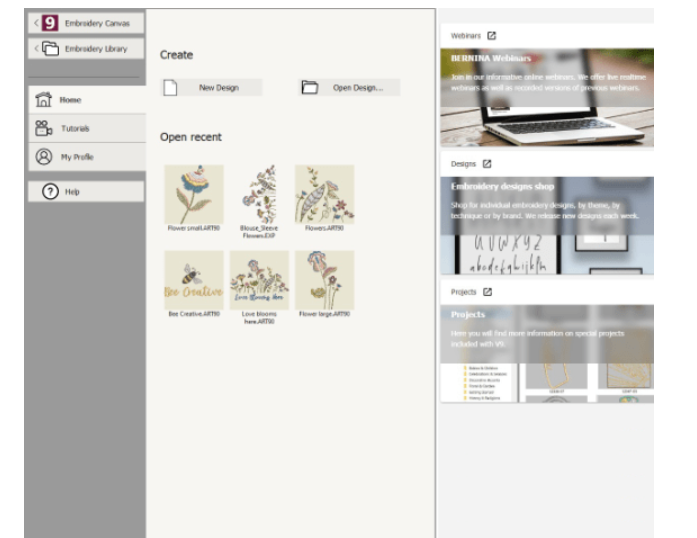
Bernina Embroidery Software 9 opens to a neat, smart home screen designed to help you get started instantly. Access helpful tutorials, explore new projects, and jump straight to online support—all in one easy, interactive place.
Total Creative Control
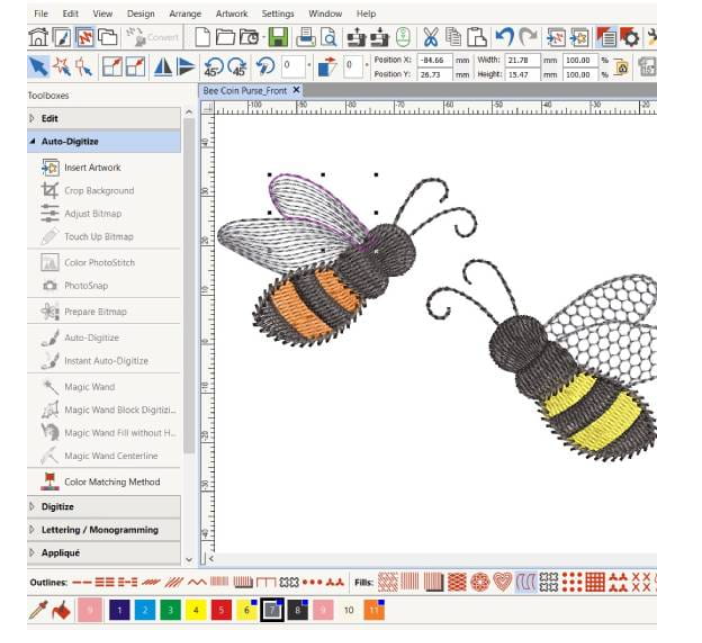
Customize your embroidery designs without limits. With powerful full editing features—including the new Branching and Weld tools—you can alter designs exactly the way you want. The branching tool automatically determines the most efficient stitch sequence and connectors for you, while the Weld tool lets you combine multiple objects into one seamless design. Change colours, experiment with special fill effects, and tailor every detail to suit your creative vision.
Your Artwork, Your Embroidery
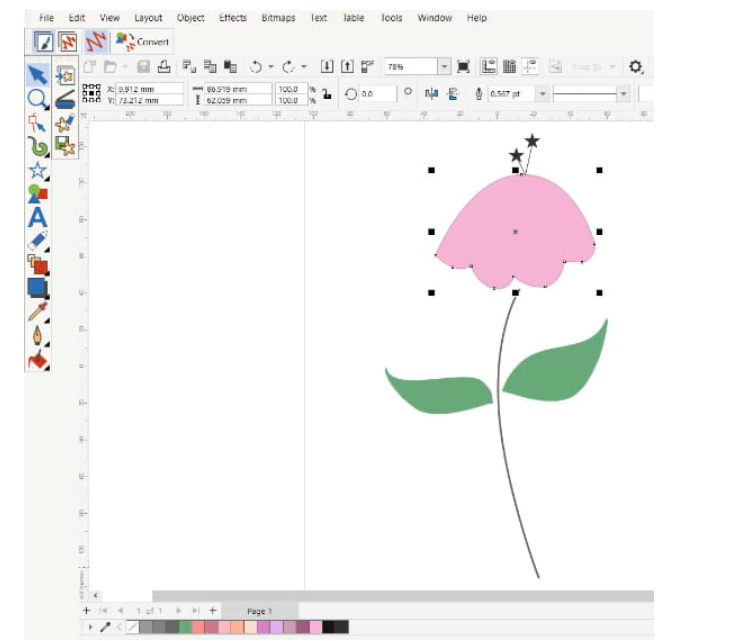
Create your own unique graphic designs with the newest version of CorelDraw SE, included with the software. Start fresh with your own artwork or choose from a wide selection of newly added graphics. Enjoy powerful tools for drawing, editing and shaping your design, then simply send it to the WiFi Connector to prepare it for embroidery on your machine.
Digitize Your Handwriting and Expand Lettering
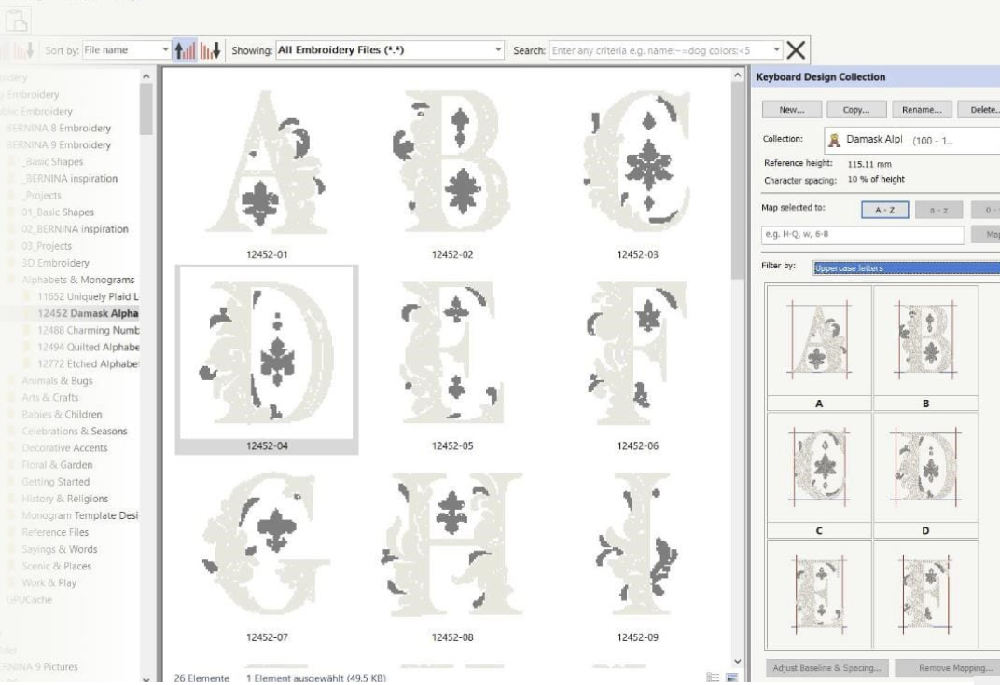
The new Keyboard Design Collection lets you take your lettering creativity to the next level. Map existing alphabet designs to your keyboard and type them directly on screen—no more combining designs one by one. You can even digitize your own handwriting or create custom alphabets from scratch. Plus, five additional Keyboard Design Collection fonts are included to give you even more creative options.
Easy and Precise Positioning
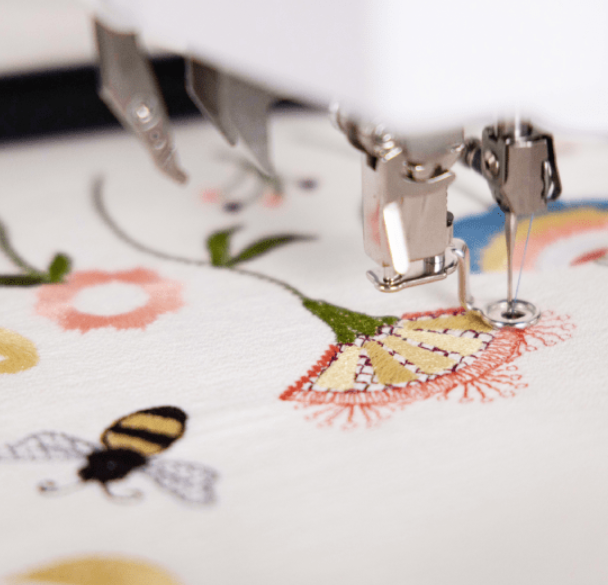
Position your embroidery designs perfectly with ease. Set up your design worksheet, add a template, and move or rotate your design within the hoop. Advanced preview options, along with hoop templates and basting stitch markers, ensure exact placement every time.
Turn Your Artwork into Embroidery
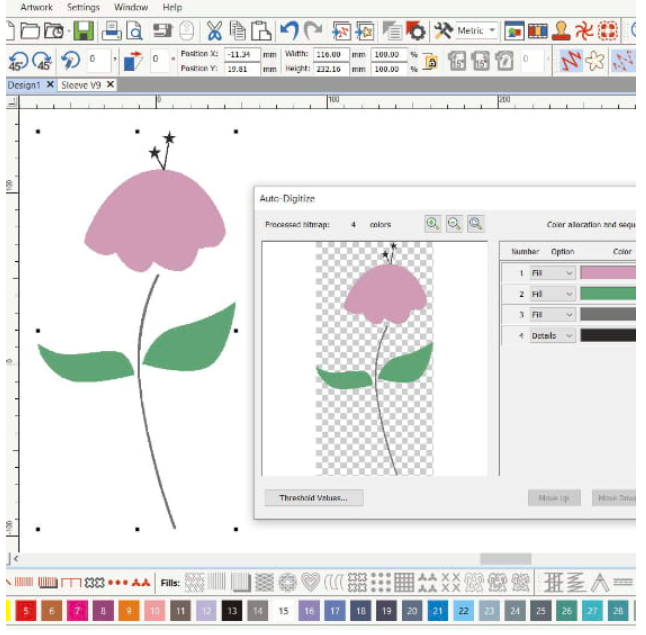
Transform your favorite images into embroidery designs quickly and easily. With the updated Auto-Digitizing and enhanced Full Digitizing tools, your artwork is ready to stitch in just a few clicks. Full Digitizing also lets you start from a sketch and manually digitize your design, giving you complete creative flexibility from the very beginning.
One-of-a-Kind Appliqués in a Click
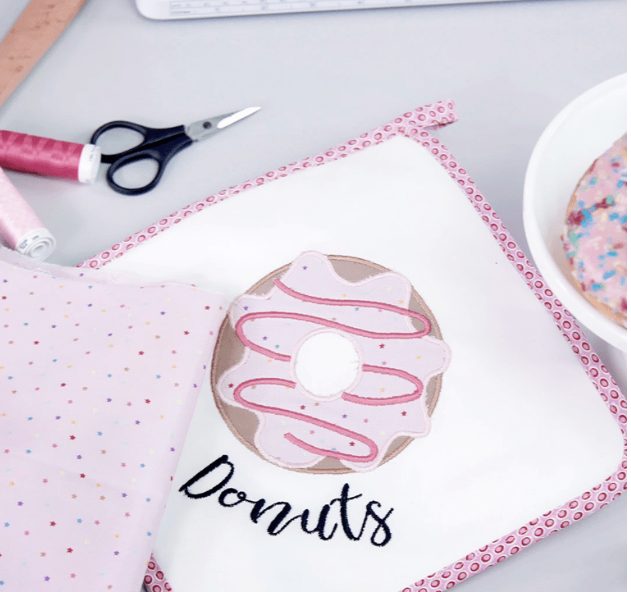
Create unique appliqué designs effortlessly with the extended tools. Convert any closed shape into an appliqué with just one click—even designs with holes inside. You can also prepare your fabric for cutting with the CutWork tool or a cutting machine by saving an extra cutting file directly from the embroidery canvas.
Over 100 Built-In Embroidery Fonts
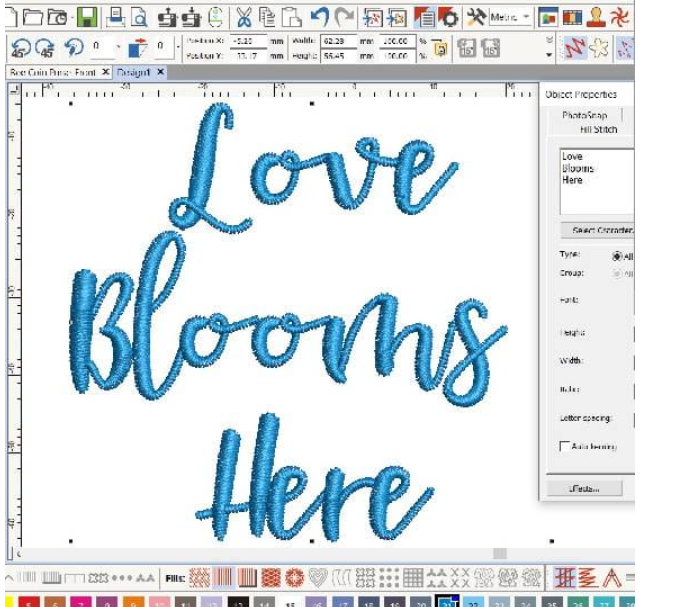
Bernina Embroidery Software 9 gives you access to over 100 fonts, including modern handwritten styles. Recommended sizes are displayed to ensure perfect results, and the font preview can be adjusted from small to large. Recently used fonts are conveniently shown at the bottom of the selection window, and TrueType and OpenType fonts are fully supported for even more creative options.
Effortless Design Management
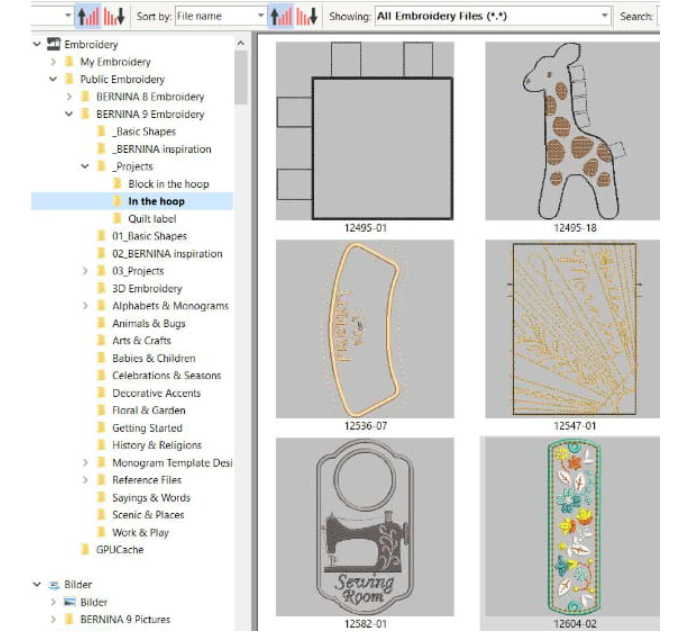
The integrated design library makes it easy to organise, browse, and search all your embroidery designs. Group designs, find inspiration, and manage your collection with ease. When you’re ready to stitch, send your designs directly to the Bernina WiFi Device in just one click.
Bring Your Embroidery to Life in 3D
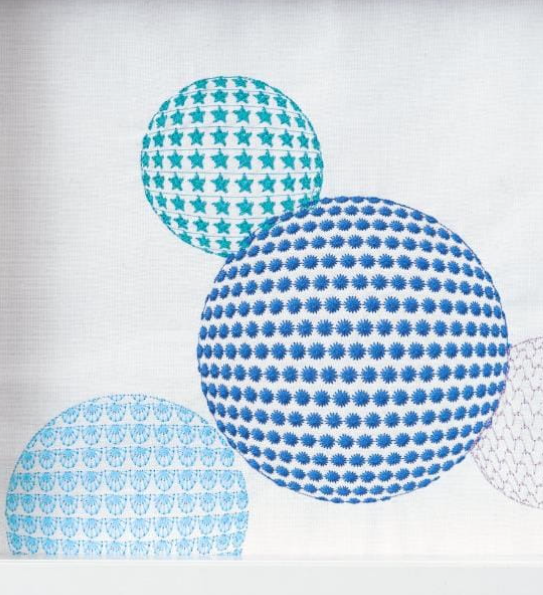
Turn your favourite photos into detailed embroidery designs with Color Photo Stitch and Automatic Digitizing. Add striking 3D effects to letters with Puffy Lettering, or create Eyelet Embroidery and Appliqué using the enhanced CutWork function. Use the Globe Effect to give flat embroidery depth, and Couching lets you craft stunning 3D textures with wool for truly eye-catching designs.
Precise Color Management
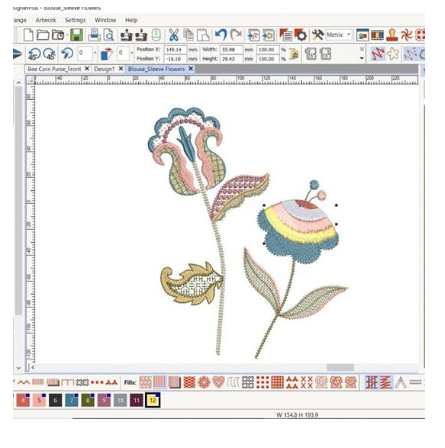
Easily choose the perfect shade with the Color Wheel and extensive palette of 56 colors plus 3 appliqué options. Fill objects exactly as you wish and keep track of your selections with numbered palette positions and blue markers for chosen colors. Color management has never been easier or more precise.
Multi-Hooping for Large Designs
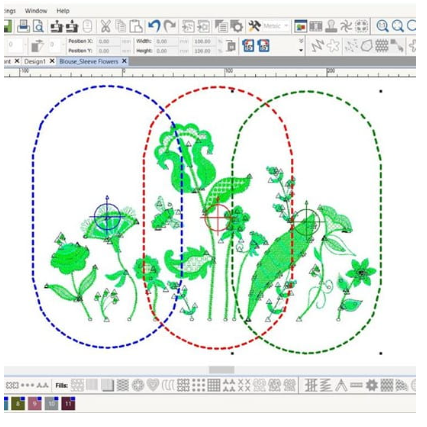
Easily create very large embroidery designs with the Multi-Hooping feature. It automatically positions multiple hoops to cover the entire design, fitting as many objects as possible into each hoop. Preview all hooping sequences and save your work as a complete design or as separate multi-hooping machine files for seamless stitching.
Easy Embroidery on Quilts
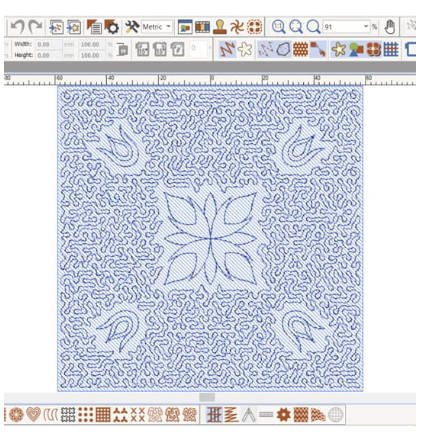
Make quilting simple with the Automated Quilt Block Layout feature. Create “echo” quilting designs, including scroll-clipped or stipple-filled blocks, with ease. Helpful aids for quilt block sizing and positioning ensure perfect placement every time.
